Knowledge workers don’t do one-shot tasks. They do projects — work that spans weeks, involves a recurring set of constraints, and accumulates decisions that have to be remembered the next time the work is touched. The work-and-the-context belong together.
Mainstream AI chat tools assume the opposite. Each session is a clean slate. Whatever context you negotiated last Thursday is gone Monday morning unless you saved it out by hand. That gap between “how I actually work on projects” and “how AI chat lets me work” is where most of the productivity promise quietly leaks out.
The problem: every chat starts from zero
Here is the typical lifecycle of a serious AI conversation today:
- You open a new chat. You spend the first three or four messages bringing the model up to speed — your goals, your constraints, your preferences, the relevant background.
- The conversation does useful work. The model now knows things that took effort to convey.
- You close the tab, or the thread gets too long, or the model hits a context limit, or it’s just been a few days.
- Next time, you start a new chat. Go to step 1.
The hidden tax is enormous. Every “new chat” is another round of onboarding. The model that finally understood your design system or your codebase or your writing voice no longer does. You either retype that context (boring, lossy) or accept generic answers that don’t reflect what you already established.
ChatGPT “memory,” Claude Projects, and similar features help — but partially. They store retrievable facts about you, not the structured working context of a specific project. They’re closer to a profile than a workspace.
What “project intelligence” actually means
We use “persistent project intelligence” to mean something specific: a structured, durable, navigable record of everything the AI needs to know to help you on a particular project — that you can return to next week and pick up where you left off, with the model still operating from the same shared context.
The key word is structured. A wall of saved chat history isn’t intelligence; it’s archaeology. Project intelligence has three properties:
- Addressable. You can point at a specific decision or constraint and say “continue from here.” You aren’t scrolling — you’re navigating.
- Composable. You can combine pieces of past context selectively. The model gets exactly the relevant history for the question at hand, not everything you’ve ever discussed.
- Durable. Context survives the session. You close the tab, come back in two weeks, and the structure is still there waiting.
The three layers of persistent context
Practical project intelligence is layered. Different kinds of context belong in different places and should be invoked differently.
Layer 1: The charter (rarely changes)
The high-level goal of the project, the audience, the constraints, the explicit non-goals. This is the stuff you wrote down once and probably won’t rewrite. In Nodea, this lives in the root node of a project — the message that every branch ultimately descends from. Whatever model you talk to in any branch is operating with this context implicitly.
Layer 2: Established decisions (changes slowly)
Decisions you’ve made during the project: the architecture choice, the brand voice rules, the names you settled on, the hypotheses you ruled out. These are reference material. You consult them; you rarely overturn them. In a branching workspace, these are mid-tree nodes that you mark or pin — the “here’s what we decided” nodes that anchor future work.
Layer 3: Live exploration (changes constantly)
The current question you’re working on. This is the leaf of the tree — the active branch where you’re generating drafts, testing variants, working through a problem. Most of your session is spent here.
The reason this layering matters: in a linear chat, all three are mixed together in the same scroll. The model can’t easily tell what’s settled and what’s being explored — and neither can you, two weeks later. In a tree, the layers are spatially separated. The charter is the root, the decisions are the named internal nodes, the exploration is the leaves.
A workflow for long-running AI projects
Here’s a concrete workflow that turns AI chat from a one-shot tool into a persistent project workspace.
Step 1: Open a project, not a chat
The first move is not to ask a question. It’s to write the project charter as the root message. Three to six sentences: what you’re trying to accomplish, who it’s for, what the non-negotiable constraints are, and what success looks like. This becomes the implicit context for every branch.
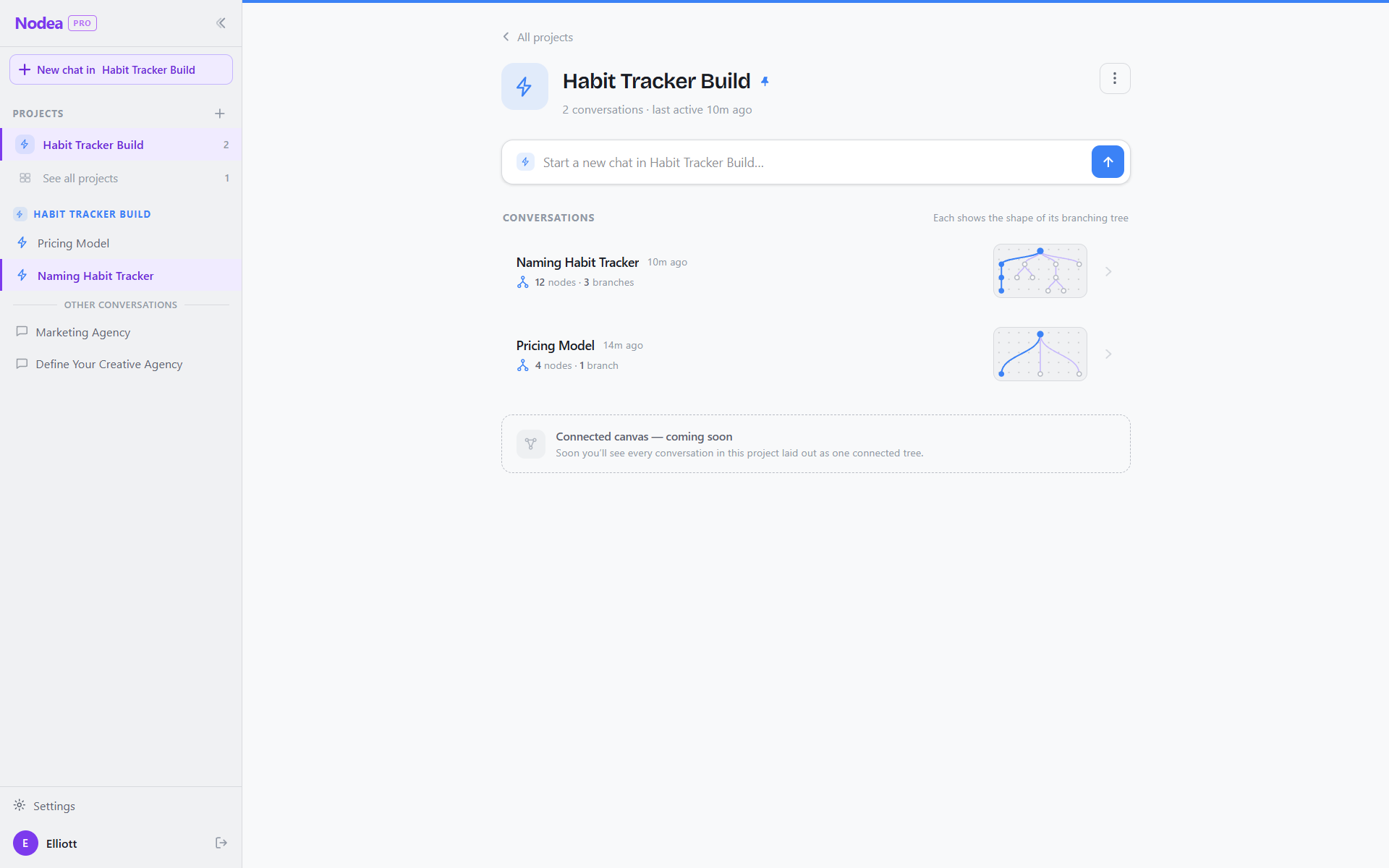
In Nodea, a project is a distinct database object — your branches all share the same root and the same identity. Returning to the project a week later loads the entire tree.
Step 2: Branch first, ask second
For each substantive question, branch from the most relevant prior node. Don’t pile everything into one trunk. A workflow question is one branch. A draft is one branch. A comparison of two options is two parallel branches.
This isn’t organization theater — it’s context hygiene. Each branch sends the model a focused, relevant subset of history, not everything you’ve ever said on the project. Answers get sharper because the context gets tighter.
Step 3: Promote decisions explicitly
When the AI helps you settle something — “we’re using Postgres, not Mongo,” “the brand voice avoids exclamation points,” “the audience is technical founders, not engineers” — name that node. Rename the branch, pin it, or add a quick summary message. The point is to make settled decisions visually distinct from open exploration.
A week from now, you should be able to glance at the tree and identify the “here’s what we decided” nodes without reading the whole thing.
Step 4: Re-enter at the right node
When you come back to a project, the move is not to start a new chat. It’s to find the node closest to what you’re about to work on and branch from there. The model picks up with full local context — without needing the entire project history.
Give your projects somewhere to live.
Nodea organizes Claude conversations as branching projects — root context, named decisions, live branches, all in one durable canvas.
Try Nodea free →The root node as project charter
The single highest-leverage move you can make on a long-running AI project is to take the root node seriously. Most people type a casual question into a fresh chat and never explicitly set context. That’s a defensible choice for one-shot tasks; it’s the wrong choice for projects you’ll return to.
A good root node looks like this:
Project: redesigning the dashboard for [product]

Audience: existing customers, mostly technical, who use the dashboard
3-5x/week. They know our product but find the current dashboard cluttered.

Goal: a redesign that surfaces the 3 metrics that matter (defined as MAU,
churn, and NPS) and demotes everything else to secondary views.

Non-goals: changing the underlying data model, adding new metrics, or
re-platforming. This is a layout and information-hierarchy project only.

Constraints: must work on screens >=1280px wide, must support dark mode,
must remain accessible (WCAG AA), and must ship in ~3 weeks.

Voice: when writing copy, keep it terse and concrete. No marketing tone,
no exclamation points, no second-person pep talk.
Every branch you start from this root inherits this context implicitly. The model doesn’t need to be told the audience again. It knows the voice rules. It knows the constraints. You’ve done the onboarding once — for the whole project.
How to maintain a project without it bloating
The natural worry: doesn’t a project tree become an unmanageable mess after a few weeks?
In practice, well-tended trees stay small — typically twenty to fifty meaningful nodes for a multi-week project. The reason is that most exploration is short-lived and most branches die naturally once they’ve served their purpose. The maintenance discipline is simple:
- Prune at the end of each session. Delete exploratory branches that didn’t lead anywhere. The point of a dead branch was to find out it was dead — once you know, the node has done its job.
- Promote what mattered. When a branch settled a question, name it (“decided: Postgres”) so the structural meaning is visible.
- Snapshot the canonical path. The root-to-current-leaf path of the “main” work is effectively the live state of the project. Keep it tidy.
- Don’t over-organize. The canvas isn’t meant to be a curated artifact — it’s a working surface. Tolerate some mess. Trim only the parts that get in the way of finding things next time.
FAQ
How is this different from ChatGPT Projects or Claude Projects?
Both let you group chats by topic and share files across them. Useful, but each chat inside the project is still linear. Persistent project intelligence is about the structure within a long conversation — the branching tree, the addressable decisions, the layered context — not just sharing files across separate threads. You can think of Nodea’s projects as one level deeper than Projects in other tools.
What happens when the project gets too big for the model’s context window?
Because Nodea only sends the path from root to the current node — not the entire tree — most projects stay well under context limits for a long time. Branches that are not on the current path don’t cost anything. If a single path does grow too long, you can branch from an earlier node and continue from there, effectively trimming the trailing context.
Can I share a project tree with a teammate?
Sharing is on the near-term roadmap. The architecture supports it — the tree is just rows in Postgres — but the first release of Nodea is focused on individual workflows. For now, the most common pattern is to export specific branches as text for handoff.
What if the model changes (e.g. Sonnet 4.6 → a newer Sonnet)?
Your project tree is independent of the model. Each branch records which model generated each reply, and you can continue any branch with a different model later. Context comes from the conversation structure, not from the model’s internal memory — so a model upgrade doesn’t erase your project.
How long should I expect a serious project to live in this format?
The pattern works best on projects measured in weeks to a few months. Past that, the natural unit gets bigger — you might spin off multiple related projects as separate trees, sharing charters between them. For multi-quarter work, treat each tree as one stage of a larger effort.
For background on the branching model itself, see the complete guide to branching AI chat. For the everyday case of not losing individual ideas, see never lose a train of thought again.